



AIOOS

One assistant.
Many possibilities.

AI that fits into your everyday life.

A virtual employee that takes calls, answers questions, and helps further with the right tools.

Hear your receptionist — free Start now Book a demo

Free sample built from your website, sent by email.
Start now: first month paid today · 30-day money-back guarantee.

THE CONVERSATION IS THE BEGINNING.
AIOOS / Your workspace
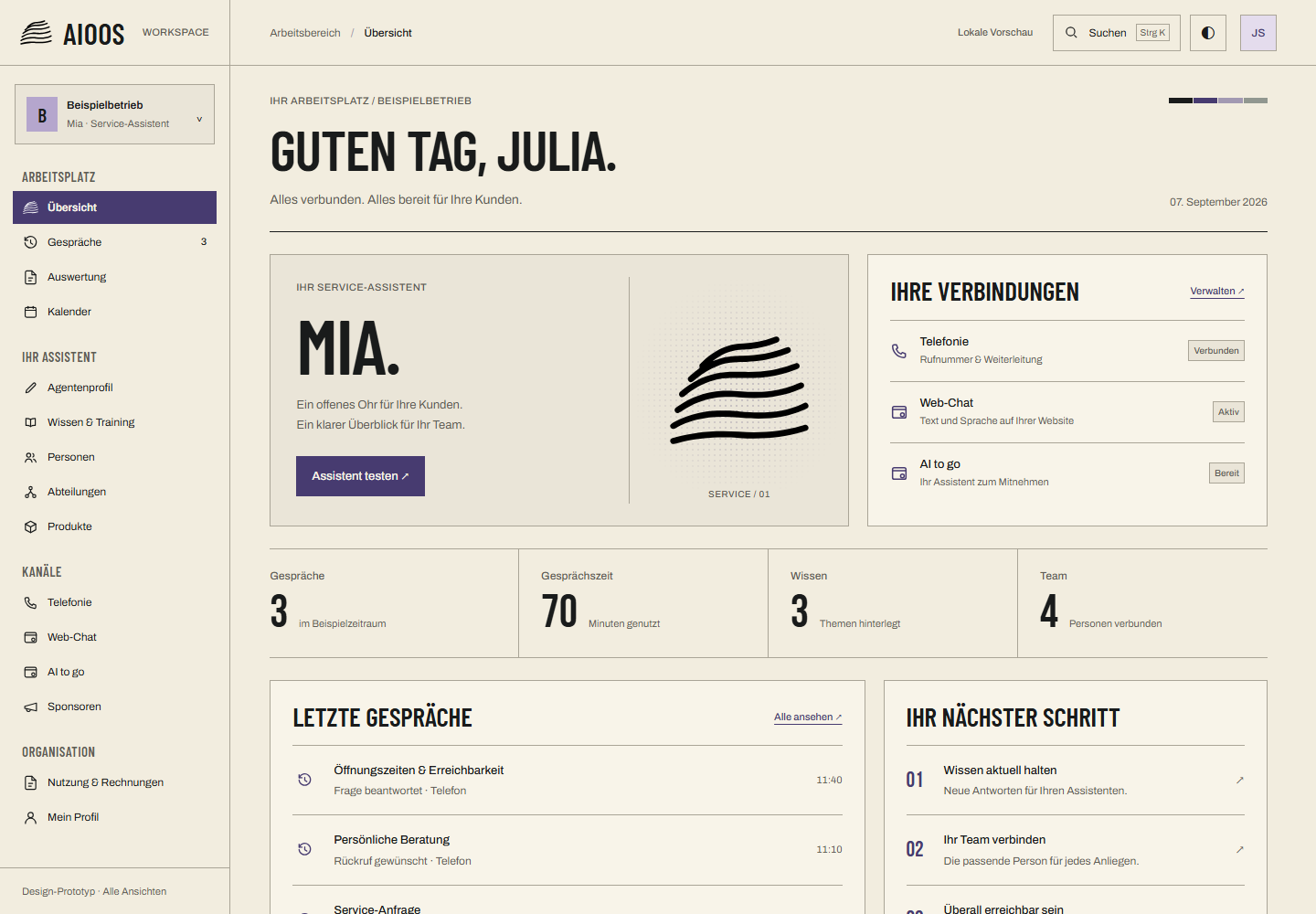
AIOOS App: Overview with service assistant Mia and connected channels. Sample data.
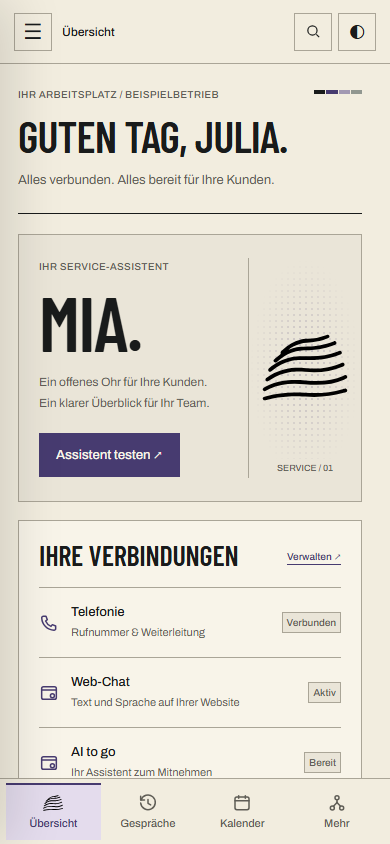
Mobile AIOOS overview with assistant and connections. Sample data.
DESKTOP + MOBILEApp preview · Sample data
Phone. Web. On the go.Explore further AIOOS / ONE CONNECTION FURTHER
01 / THE IDEA

More time for what matters.

While you look after people, your AI assistant looks after the next conversation. On the phone, on your website and on the go.

You stay in control. In one shared app.
A café owner gives her guest time and attention. Staged scene.
Demo simulation
Opening hours

What are your opening hours on Saturday?

Request notedAnswered · added to the overview.
Staged scene
FOR THE MOMENT IN FRONT OF YOU.

You are fully present.

AIOOS ON THE PHONE

And your assistant answers.

Answer questions.
Note requests.
Prepare the next step.
This is how the voice works
02 / THE APPEVERYTHING IN ONE PLACE

Your overview.
To take with you.

What was discussed? What is pending? What knowledge does your assistant need? Your app brings it all together — even on your smartphone.

Your assistant, your connections and key information at a glance.

AIOOS / Your workspace
Overview — App preview · Sample data

App preview · Sample data

A look inside AIOOS

Your assistant.
Step by step.

Here is how setup works in AIOOS: choose a channel, customize your assistant and review the details before saving.

The app previews show the German interface with example data.

13 seconds · example screens · no sound. WhatsApp is planned.
Read the steps

The video shows parts of the current AIOOS interface with example data. First it shows the Telephony, Web Chat and AI to go channels. The WhatsApp channel mentioned on the channel screen is planned. Next comes a name field containing “Beispielbetrieb” (example business), with a caption about name, language and greeting. Finally, the preview shows a “Bitte prüfen” (please review) notice and a save button. The settings have not been saved; the button is not pressed in the video.

  1. Choose a channel

    Telephony, Web Chat or AI to go.

  2. Adapt it to your business

    Set the name, language and greeting.

  3. Review the details

    Review your settings before saving.

We will look at your use case together.

03 / THE ACCESS POINTSONE ASSISTANT, MANY WAYS

Where the conversation begins.

ON YOUR WEBSITE AND IN YOUR APP

Web & app chat

A question. Right in the chat.

Visitors and app users ask. Your AI assistant helps using your business knowledge – in the web chat on your website or in your mobile app via our API.

Your website
SAMPLE BUSINESS
Glad to see
you here.
Your assistant

AI assistant · answers are generated automatically

Can I also book by phone?

Yes. You can reach us by phone. Shall I show you the contact details?

Demo simulation
WEB & APP CHATOpen in the app
ON THE SMARTPHONE

AI to go.

Simply with you.

Product info, instructions and company details on a digital business card, shared by QR code or link. Your assistant answers your customers' questions right there.

AIOOS
AI to go.
QR example for the AIOOS website, aioos.ai
QR EXAMPLE
YOUR ASSISTANT. TO GO.
AI TO GOCard concept
QR example: aioos.ai

For developers: your assistant in your product, via API

How to integrate AIOOS: website chat, API and phone

04 / THE VOICECONVERSATION + THINKING

Quick in conversation.
Powerful thinking.

The voice assistant answers short questions directly. If a task requires more complex reasoning, it delegates it to a high-performance AI model.

Demo simulation

AI assistant · answers are generated automatically

Which appointments are scheduled for tomorrow?

Using the configured tools, the assistant prepares an answer.

  1. ConversationYou ask your question.
  2. ThinkingAI considers your request.
  3. ToolsRelevant integrations help.

Visual example · no microphone, no live connection.

05 / THE TOOLS

Adapts to you.

A business needs different integrations than an individual. That’s why you choose the tools that fit your daily life — from your calendar to your own professional systems.

The AI in the background remains interchangeable. AIOOS can adopt new models while your familiar app stays the same.

Configuration examples. Integrations depend on your setup.

Your
assistant.
A COMMON CORE
CalendarKeep an eye on appointments
KnowledgeUnderstand your business
Professional systemsTailored to your business
06 / THE POSSIBILITIESFOR PEOPLE. FOR BUSINESSES.

One daily life. Everything connected.

Access points may change.
Your assistant remains the common centre.

A café owner gives her guest time and attention. Staged scene.
CaféStaged scene
A host welcomes a guest at a hotel reception. Staged scene.
HotelStaged scene
Two colleagues discuss their plans. Staged scene.
TeamStaged scene
Demo simulation · Café

Can you reserve a table for this evening?

Request recorded for review.

AI assistant · answers are generated automatically

Demo simulation · Hotel

What time can I check in?

Answer using configured knowledge.

AI assistant · answers are generated automatically

Demo simulation · Team

Is there an appointment available tomorrow?

Prepare the next step with the calendar.

AI assistant · answers are generated automatically

07 / YOUR STARTSUITED TO YOUR DAILY ROUTINE

Space for your conversations.

Pay the first month today. If AIOOS is not right for you, cancel within 30 days and get your money back in full.

A café owner gives her guest time and attention. Staged scene.
Staged scene
GET TO KNOW AIOOS

Hear your receptionist first.

Give us your website. We build a sample receptionist from it and email it to you — free, no card.

Hear your receptionist — free

We use your email only to send the sample and up to two follow-ups about it; unsubscribe at any time. Plans: first month paid today · 30-day money-back guarantee. Money-back terms

02 / AIOOS PRO

AIOOS Pro

99€/ month

1.000 Call minutes per month

Start now with AIOOS Pro

First month paid today · 30-day money-back guarantee

All prices are net, plus statutory VAT. Annual packages and current booking details are available in the app.

08 / GOOD TO KNOW

One more
question?

Find answers about AIOOS, getting started and your plan.

Product

What is an AI agent?

A virtual employee: it handles conversations and helps using the knowledge and tools you set up for it.

Where can I use AIOOS?

By phone, in web chat, and via AI to go. In your app, you manage the assistant and the configured access points.

Which tools suit my business?

It depends on your daily operations: for example, calendar, business knowledge, or a specialist system. Available integrations depend on your setup.

Can the AI evolve later?

Yes. Models and tools can be replaced or added. The shared app remains the place where you manage your assistant.

Getting started

How do I hear my own receptionist?

Press “Hear your receptionist — free” and enter your website and your business email address on the same domain. We build a sample receptionist from your website and email you a personal link, usually within a few minutes. You talk to it in your browser. No card, no account.

How do I get started?

Create an account and set up your assistant in the app. Already have an account? Sign in here.

Plans and billing

What does the 30-day money-back guarantee mean?

You pay the first month when you start. If AIOOS is not right for you, cancel within 30 days of your first payment and get the full amount back. We ask one question — what made you stop — and accept any answer. Read the money-back terms.

Can I cancel?

Yes. Your plan renews monthly and you can cancel in the app at the end of any billing month. Within 30 days of your first payment, you also get your money back in full.

AIOOS app — Overview

Full app view. Sample data.

App preview · Sample data · Press Escape to close.

Choose language